

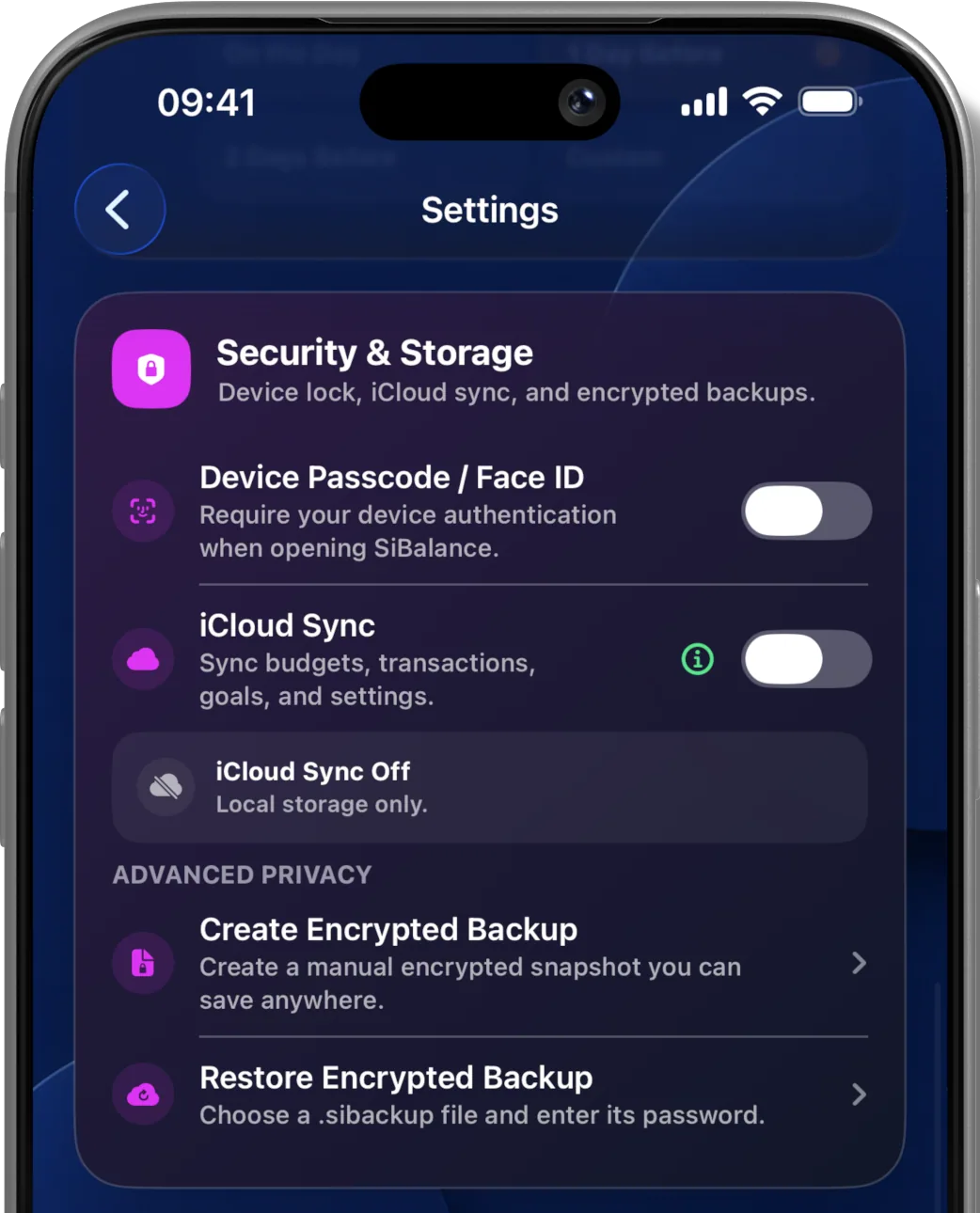
Privacy in a budgeting app is not one switch. It depends on what information the app asks for, where the data is stored, which outside services are involved and which choices remain with the user.
A bank-connected service can be useful and can operate with appropriate safeguards. Bank access is not inherently unsafe. It is also not necessary for every budgeting method. SiBalance takes a different approach: the user records the information that belongs in the budget, and the app works without access to a bank account.
What private budgeting means in SiBalance
Manual entry is a deliberate trade-off
Without a bank feed, income and expenses do not appear automatically. The user enters transactions, maintains repeating commitments and corrects the budget when something changes. SiBalance can speed this up by creating reviewable drafts from screenshots or CSV files, but the user still chooses what is added.
The benefit is direct control over what becomes part of the record. A cash purchase can be included; an irrelevant transfer can be left out; a planned expense can be treated differently from everyday spending. Manual entry can also create a useful pause between spending and reviewing the plan.
This is a budgeting preference, not a universal answer. Some people value automatic bank feeds. Others prefer a personal finance app that can work without a banking relationship. SiBalance is built for the latter approach while still providing optional screenshot and CSV import, recurring entries, transaction history, search and Safe to Spend.
Local data and optional iCloud Sync
By default, SiBalance stores financial information locally on the iPhone or iPad. The developer does not operate an account system or a financial-data server for the app.
Optional iCloud Sync is included with SiBalance Full. When enabled, data is synchronised using Apple’s CloudKit technology and the private database associated with the user’s personal iCloud account. The developer cannot access that synchronised data.
Optional means optional
SiBalance works locally without iCloud Sync. Enabling sync can keep the budget available across Apple devices, while leaving it off keeps the app’s records on the device where they were entered.
Protection and user control
SiBalance can use the device’s passcode, Face ID or Touch ID to restrict access to the app. With SiBalance Full, it can also create password-protected, encrypted .sibackup files for manual backup and restore.
These options do not remove the need to protect the device, Apple ID and backup password. No method of electronic storage or transmission can be guaranteed completely secure, and a forgotten backup password cannot be recovered by the developer.
The Security and Storage section of the User Guide explains the available controls and restoration choices.
An explanation, not a replacement for the policy
This page explains SiBalance’s privacy approach in ordinary language. The SiBalance Privacy Policy is the authoritative description of information collection, local storage, optional iCloud Sync, purchases and third-party services.
Budget without handing over a bank login.
Start budgeting privately with one complete budget for free. Unlock SiBalance Full once for the complete experience. No account, advertising, tracking or subscription is required.