

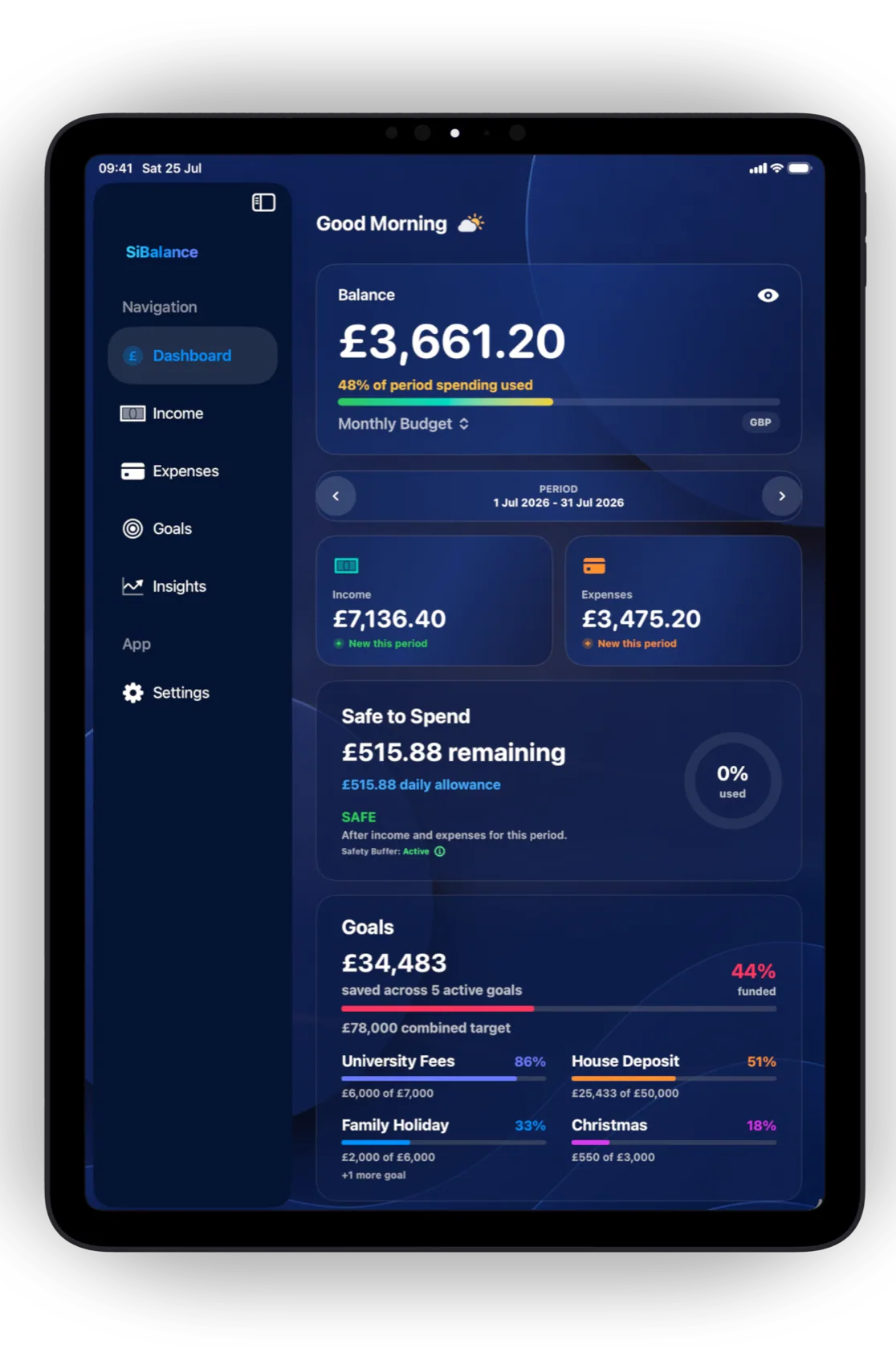
Budget planning is less about predicting every purchase and more about giving each period a clear starting point. The plan should show what is expected, what is already committed and how much flexibility remains.
A bank balance can tell you how much money is present. It does not automatically show which part is already needed for rent, utilities, insurance, future bills or everyday spending. A budget adds that missing context.
1. Choose the period you want to manage
Start with a period that matches how you receive income or naturally review your finances. A monthly budget is common, but weekly, fortnightly or custom periods can make more sense for different pay cycles and households.
SiBalance supports daily, weekly, fortnightly, monthly, yearly and custom budget intervals. Each budget keeps its own timeframe, currency and balance settings, so the structure can follow the way that money is actually managed.
2. Map the income expected during that period
Record income according to when it is expected rather than relying on a rough total. Dates matter: money due near the end of a period cannot support a commitment that falls earlier unless there is already enough balance available.
SiBalance records one-off and repeating income. Entries can include a category, amount, source and date, making the plan useful for regular salaries as well as income that varies.
3. Separate commitments from flexible spending
Committed expenses are the costs the budget already needs to accommodate. They may be fixed monthly bills, annual renewals, regular transport, or predictable costs that do not happen every month.
Flexible spending is different. Groceries, meals out, shopping and day-to-day purchases still need to be recorded, but the amount or timing may be adjustable. Keeping the two ideas distinct makes it easier to see where there is room to respond.
Repeating entries in SiBalance are treated as committed spending. Standard repeat options and custom schedules help account for bills that follow their own timing. The recurring expenses guide explains how to review these commitments without counting them twice.
4. Record what actually happens
A plan becomes useful when it is compared with real activity. Entering transactions deliberately keeps the budget current and makes spending visible at the moment a decision is made.
SiBalance uses manual entry by design. Income and expenses can be categorised, searched across the complete history, edited individually and reviewed by budget period. Manual entry requires a small amount of attention, but it also means the app does not need a banking login or an account with SiBalance.

5. Understand what remains available
The remaining balance is one useful number, but it is not the whole picture. Upcoming income, future expenses, recurring transactions, the time left in the period and any safety buffer all affect how comfortable the budget really is.
Safe to Spend is SiBalance’s way of turning those commitments into a clearer allowance for the selected window. It helps answer a practical question: how much is available without putting the rest of the current budget period under pressure?
6. Review progress and plan the next period
Review the budget while there is still time to act. Check whether expected income arrived, whether saved bills are still accurate and where variable spending differs from the plan. The goal is not to judge every change; it is to keep the picture honest.
At the end of the period, use what happened to improve the next one. SiBalance includes Goals, forecasting, Insights and trends for deeper planning. Those features build on the same entries rather than replacing the core budgeting workflow.
Everything included
SiBalance includes unlimited budgets, the Dashboard, income and expense tracking, manual and recurring transactions, categories, Safe to Spend, upcoming payments, complete history, powerful search, Siri and App Intents, iCloud Sync, encrypted backups, Goals, forecasting, Insights and trends, widgets, Themes, screenshot import, CSV import and export, iPhone and iPad support, and 159 currencies.
Build the plan, then keep it current.
Start with one complete budget for free. Unlock unlimited budgets with a one-time SiBalance Full purchase. No account, bank connection or subscription is required.